Remote Control for Sensor LED Back-Lit Panels
Description
Remote Control for Sensor LED Back-Lit Panels | Microwave Sensor Programming
Programming remote control for contact-free configuration of all sensor parameters and the dim level of the Sensor LED Back-Lit Panels. A single remote unit can program every panel simultaneously.
7+
Sensor Parameters
Multi
Panel Control
0–100 %
Dimming Range
Auto/Manu
Operating Modes
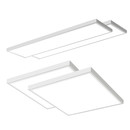
The remote control is the central configuration tool for all LedKing Sensor LED Back-Lit Panels (60x60, 62x62 and 30x120 cm). It enables precise adjustment of every sensor parameter to your individual room situation – from sensitivity and hold time to the daylight threshold. Settings are stored directly in each panel and remain intact even after power failure.
As Simple As It Gets
Configuration in Three Steps
1. Pick up the remote Position yourself within the reception range of the panels. | 2. Select parameter Choose the desired sensor parameter (hold time, range, daylight, etc.) via a single button press. | 3. Receive confirmation The panel acknowledges the change with a brief blink – the setting is saved instantly. |
Button Functions
Remote Control Functions in Detail
The remote control lets you individually adjust every sensor parameter – matching room size, usage patterns and ambient light conditions. All available functions in detail:
Function 1 Hold Time Determines how long the panel stays at full brightness after the last detected motion.
Adjustable: 5 sec · 30 sec · 1 min · 5 min · 10 min · 20 min · 30 min | Function 2 Standby Time Duration the panel remains at standby brightness after the hold time ends, before fully switching off.
Adjustable: 0 sec (off) · 10 sec · 1 min · 5 min · 10 min · 30 min · continuous |
Function 3 Standby Dim Level Brightness the panel remains at between hold time and switch-off – ideal as an orientation or safety light.
Adjustable: 10 % · 20 % · 30 % · 50 % · off | Function 4 Daylight Threshold Lux threshold above which the panel will not switch on even with detected motion – saves energy when sufficient daylight is present.
Adjustable: disabled · 10 lx · 30 lx · 50 lx · 100 lx |
Function 5 Detection Range Sensitivity of the microwave sensor – adjusts the detection range to match room size and ceiling height.
Adjustable: 25 % · 50 % · 75 % · 100 % | Function 6 Manual Mode Switch the panel on/off manually and continuously dim it – the sensor function can be temporarily disabled.
Buttons: ON · OFF · Dim+ · Dim− · AUTO |
Function 7 Test Mode Sets the panel into a test mode with a short hold time (2 sec) for rapid sensor sensitivity and range testing during installation. Once the test mode is exited, the regular settings are restored. | |
⚠ Important: The power levels (28 W to 42 W) of the sensor panels are NOT set via the remote control but directly on the LED driver via DIP switch. The remote control exclusively configures dim level and sensor parameters.
Your Benefits
Why This Remote Control?
SET Adjustable at Any TimeSensor settings can be readjusted at any time afterwards – without dismantling, without an electrician. Perfect for adapting to changing room usage. | SAVE Settings Stored in the PanelAll settings are stored directly in the panel and remain intact even after a power failure – configured once, permanently retained. |
Specifications
Technical Specifications
FAQ
Frequently Asked Questions

Package Contents
1× Remote control for Sensor LED Back-Lit Panels ·
User manual
Note: This remote control is supplied as an optional accessory – the Sensor LED Back-Lit Panels are sold separately.
Note: This remote control is supplied as an optional accessory – the Sensor LED Back-Lit Panels are sold separately.